3D Printing THORN from Destiny

What’s that? 3D printing a gun from a video game? HOW NERDY DO YOU GET, WHATLEY?!

This is a super-nerdy post that encompasses online gaming, 3D-printing, and one awesome kick-ass summer project for one awesome kick-ass gamer.

You have been warned.

Still here? OK!

There’s a game I play on my PlayStation 4.

It’s called DESTINY.
Screen Shot 2015-10-03 at 20.14.50

It’s a team game and it is awesome to play online with friends. There was a gun in the previous version (aka ‘year one’/vanilla Destiny, we’re now into year two, The Taken King (which is awesome btw, you should get it)) that everybody hated.

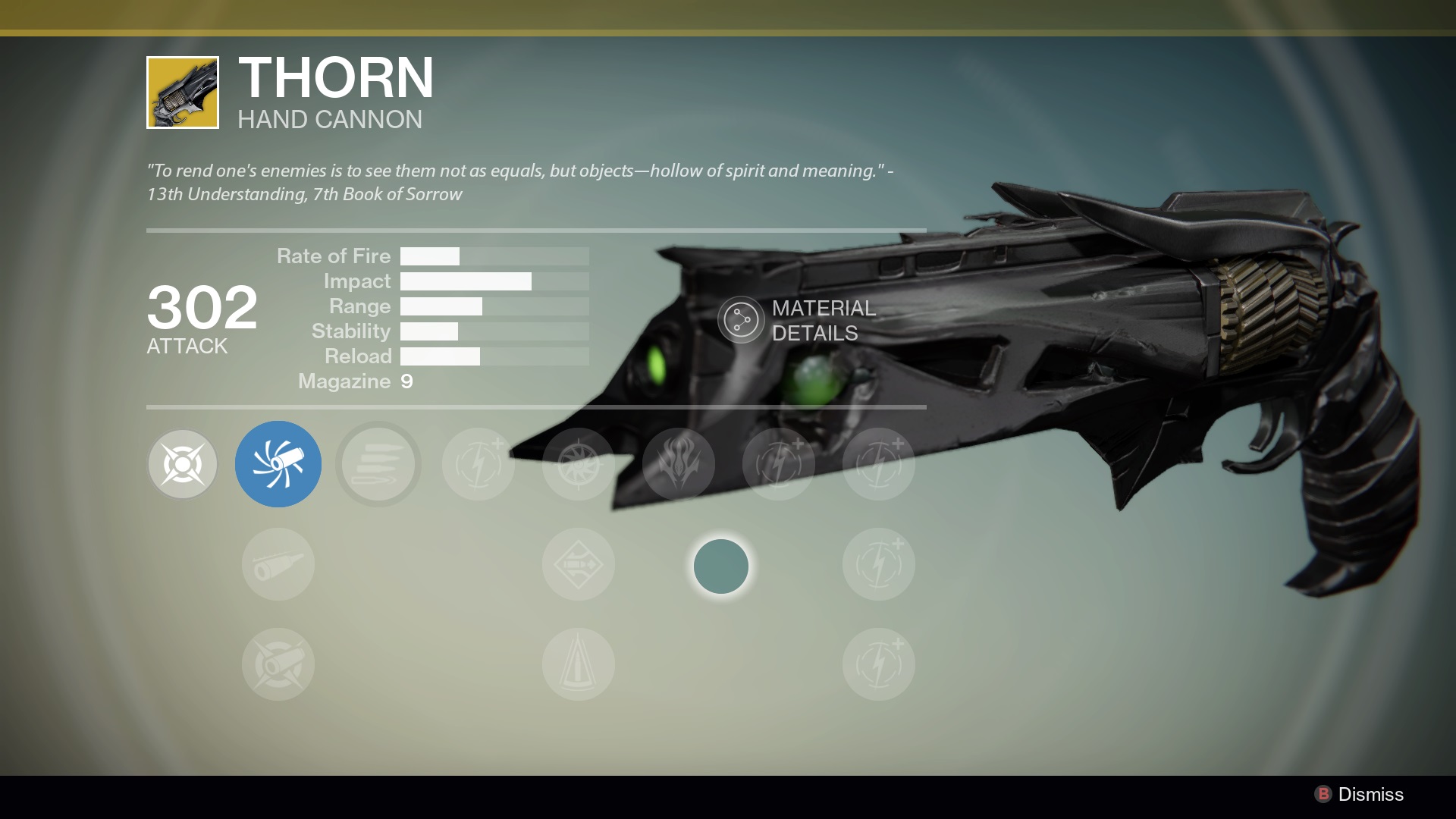
It was called THORN.

It looks like this:
Thorn-0

The weapon still exists in-game (but was nerfed for year two) and was, for most of the first year of Destiny, the bane of many a player. If you completed the epic quest to get said gun (and used it when playing other people online) you were not liked at all.

Why? It was a two hit kill, with a sniper-rifle-like range and poison-laced bullets.

It was a horrid, horrid gun.

My friends hated it.

I hated it.

So, when you really want to say a proper cheeky but really massive thank you to someone you play with online for being an awesome Destiny gamer over the past year or so, what better gift to get them than the 3D-printed model of the gun they hate most?

tumblr_n71u6fT4gk1smcbm7o1_500

This is how it happened.

I work at Ogilvy & Mather Advertising and, fortunately for me, as part of Ogilvy Group UK, we get access to the awesome people that work at Ogilvy Labs.

Ogilvy Labs just so happen to have a 3D printer.

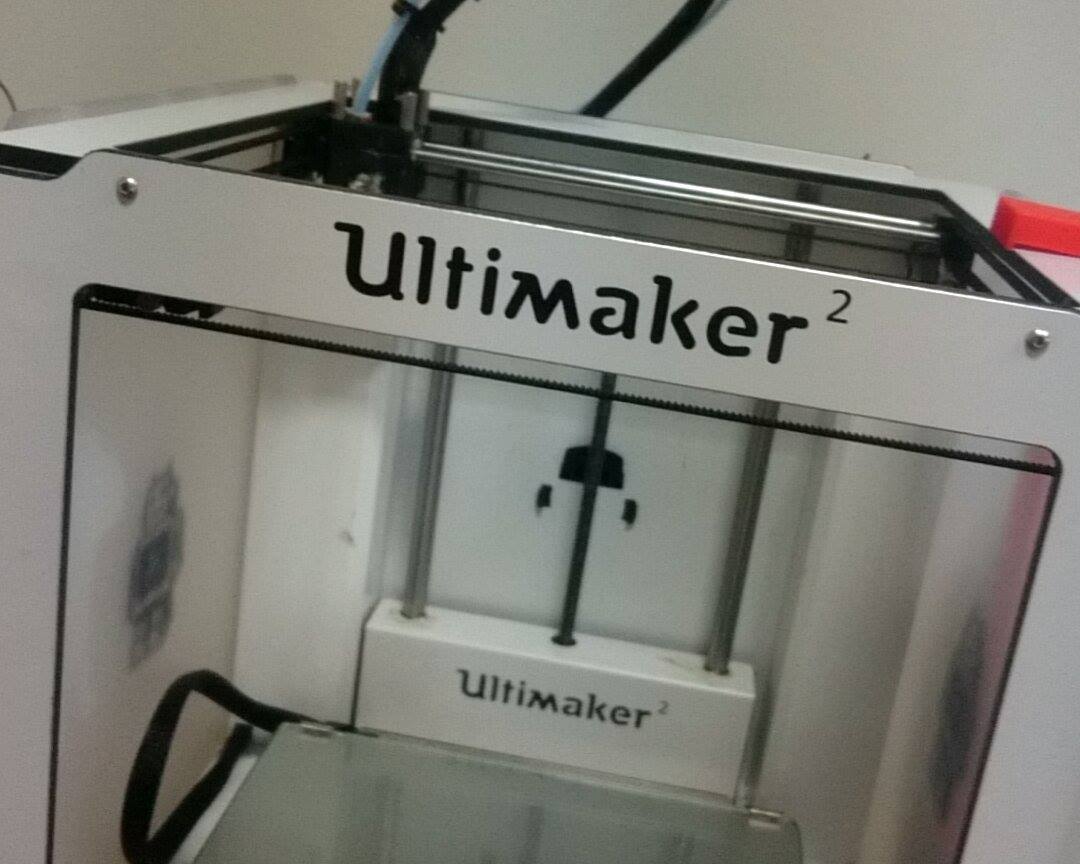
An Ultimaker 2, to be precise.

This one, in fact.
11865254_10152955861247687_1336828778_o

After chasing it down in the building (things can wander) it transpired that my mate Jon just so happened to be looking after it.

‘Could you do me a favour, Jon?’

‘Sure man, send me the files and let me have a look and we’ll see.’

Fortunately, 3D print files can be found relatively easily online (why charge for something that you need a £2,000 machine to print in the first place, right?) and so after a short spot of Googling, I found the files on My Mini Factory (free sign up to download but if you’re REALLY lazy, I’ve saved them for you right here).

Jon reckoned he could do it but asked that I bought my own plastic. The exact type required for our machine was 3mm PLA 100m coil. Faberdashery is a pretty good website for this kinda stuff and for £24, it had exactly what I needed.

A few days later, we were in business.
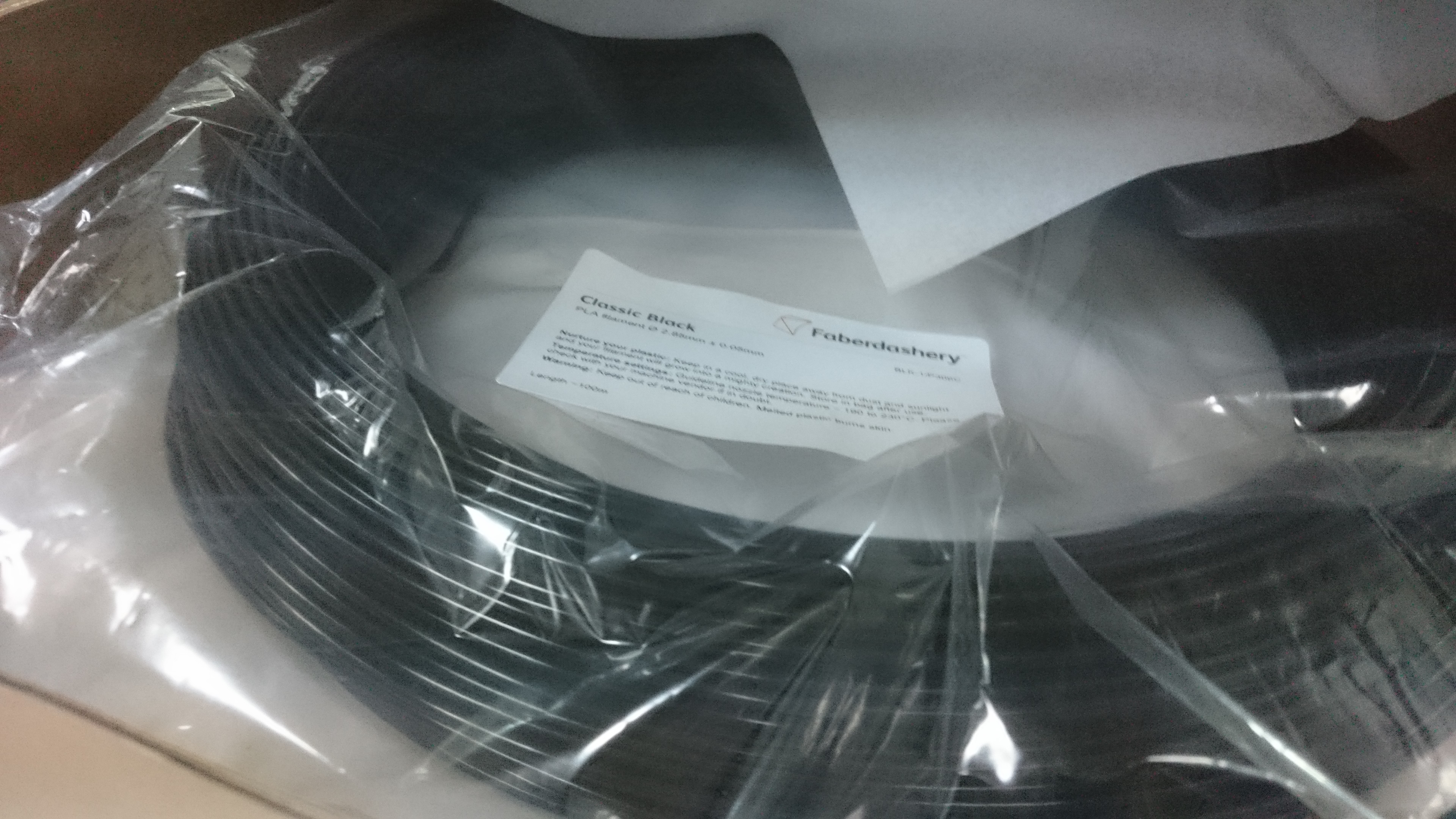
DSC_0898

And Jon (and his man, Lorenzo) got to work.

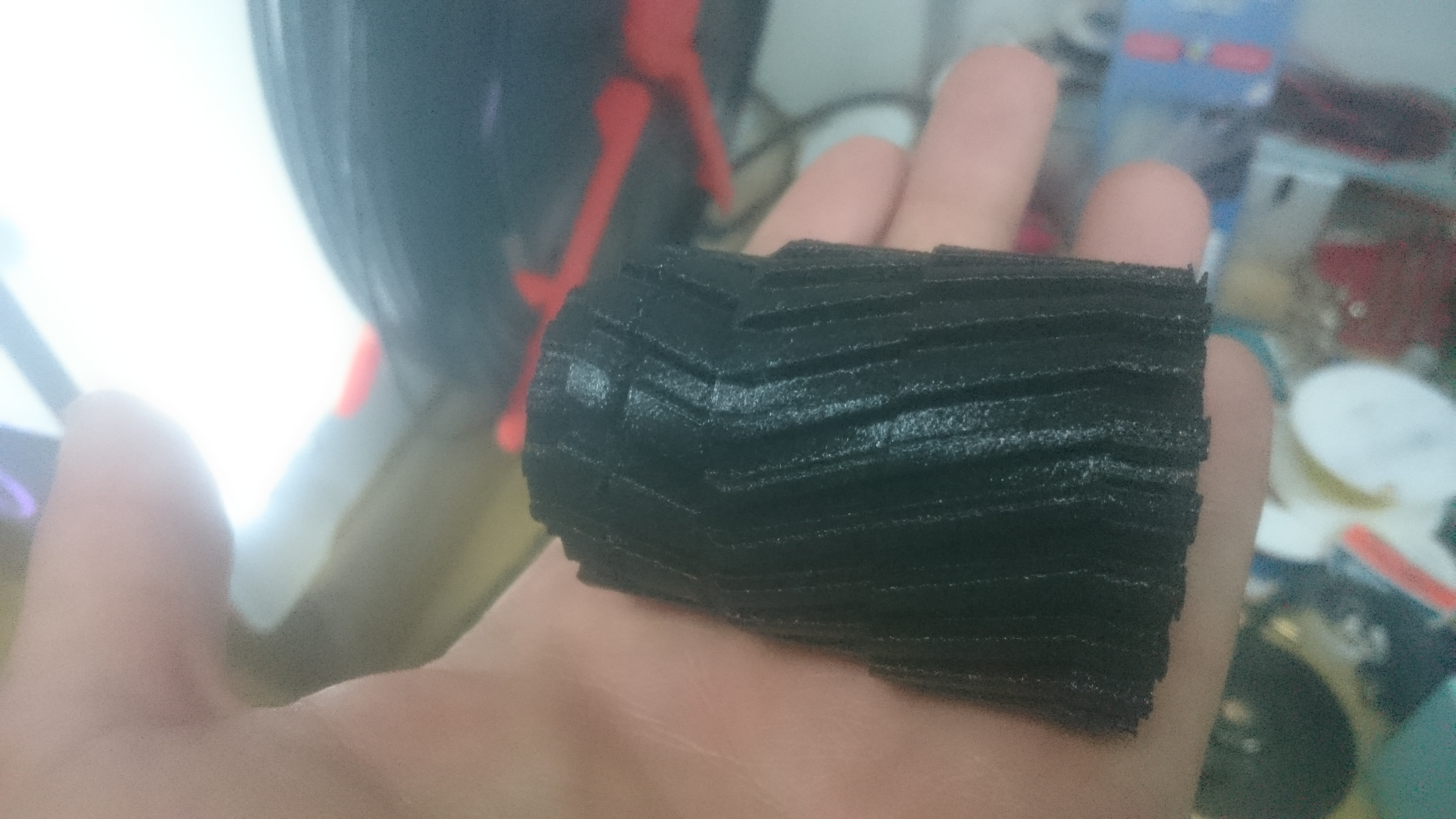
A few weeks later… this appeared.
DSC_0004

This is the barrel of the gun known as THORN.

It took a few hours and the other parts, according to the experts, were definitely going to take longer. That is, if they worked out at all. The printer was used to much smaller jobs you see and they’d never put it through its paces like this before.

But the thing about Ogilvy folk, they’re a tad determined…

Two weeks later, I had a call from Jon.

‘Can you pop down, mate. I wanna show you something.’

And he did.
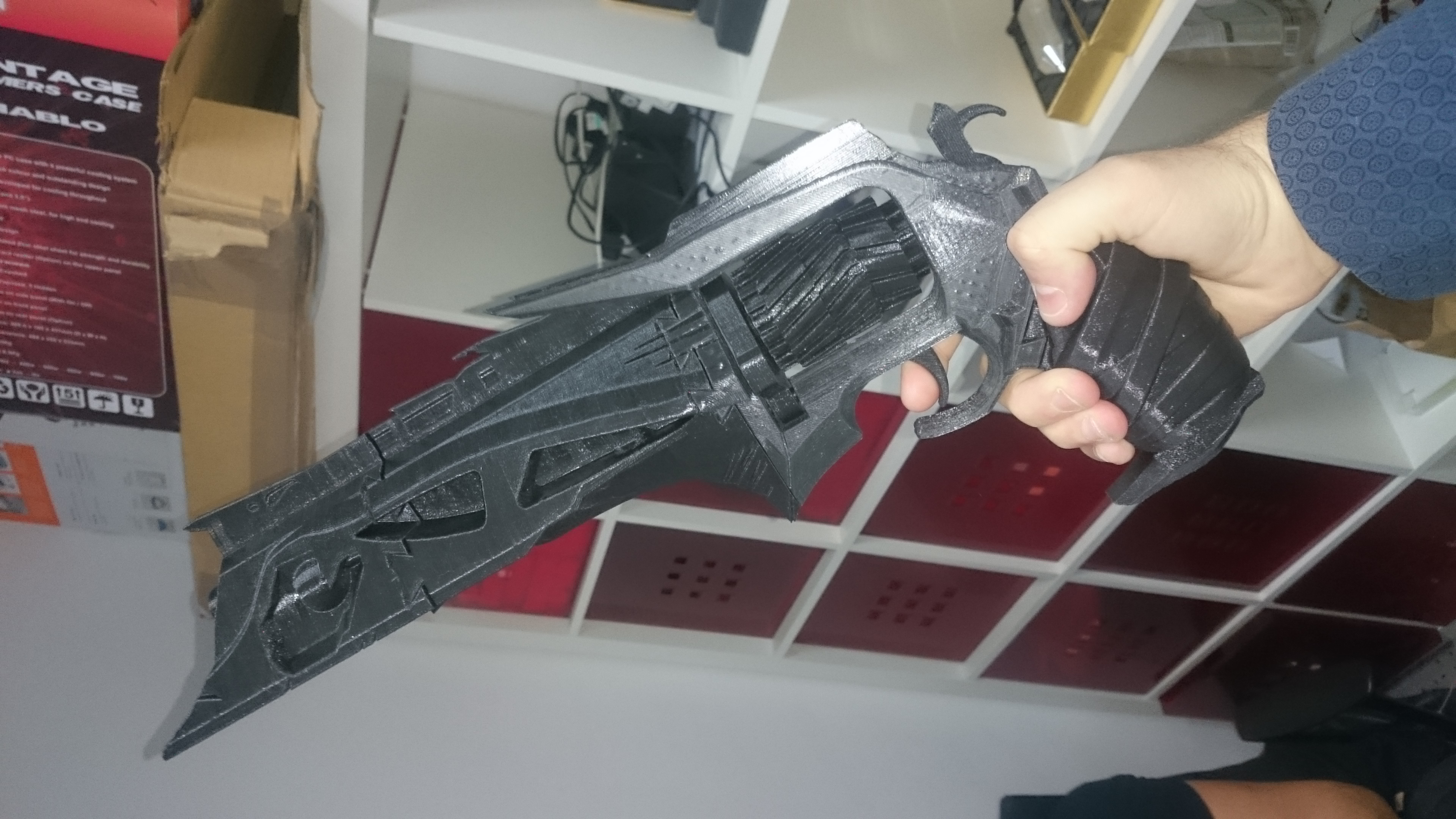
DSC_1260

Amazing, right?

And HUGE.

The whole thing looked fantastic and, to top it off (and something I didn’t spot when I downloaded the files) you could put an elastic band inside so that the trigger would actually work with the hammer as a faux firing mechanism.

IMMENSE.

Eleven separate parts, two of which can move together, printed over several days and we were almost there.

OK, so maybe only halfway there.

The other thing that you need to create something like this is access to some artistic talent. Someone who could turn their hand to a project like this and be almost guaranteed outstanding results.

I happen to know that someone.

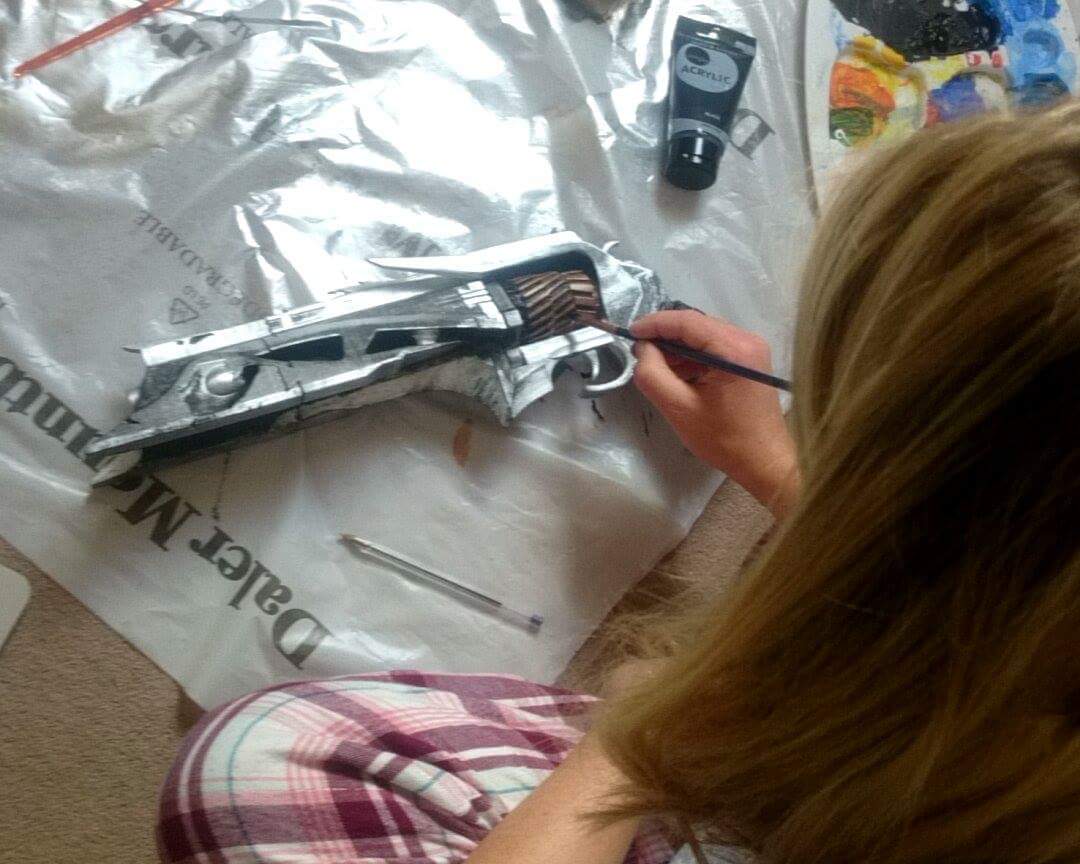
And this is what she did…

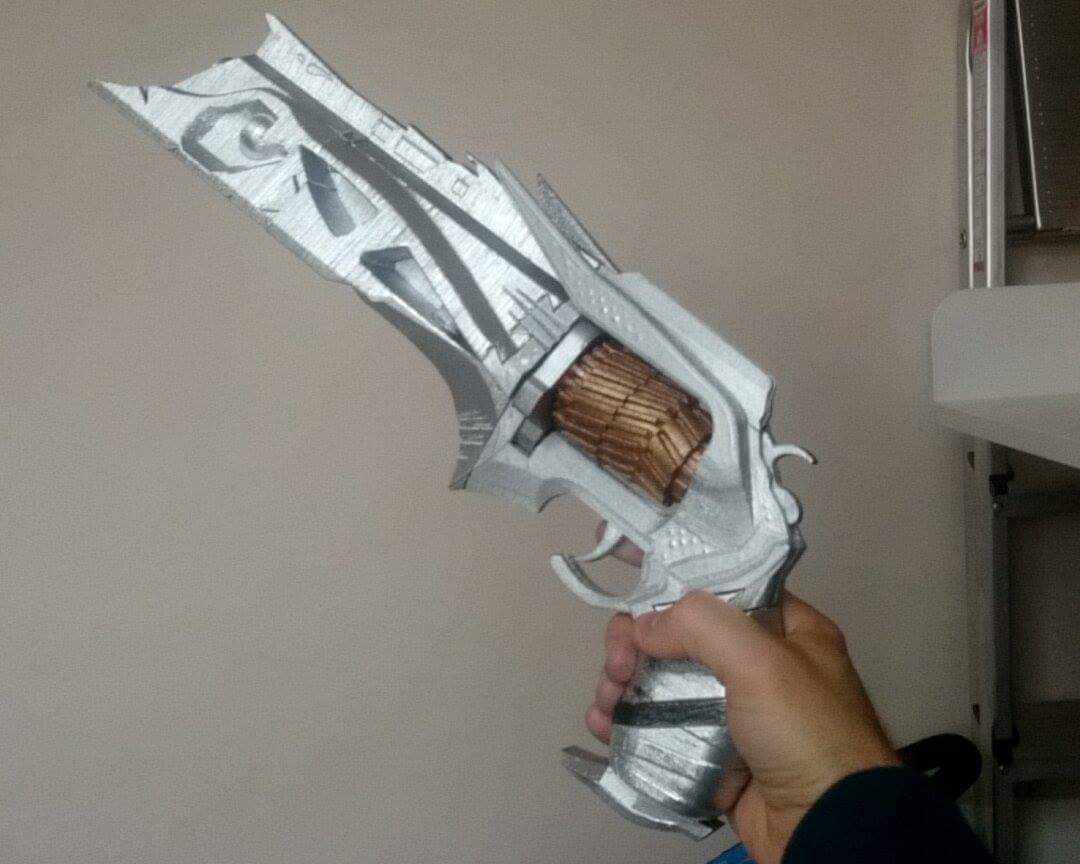
Step one: disassemble and spray paint the base layer.
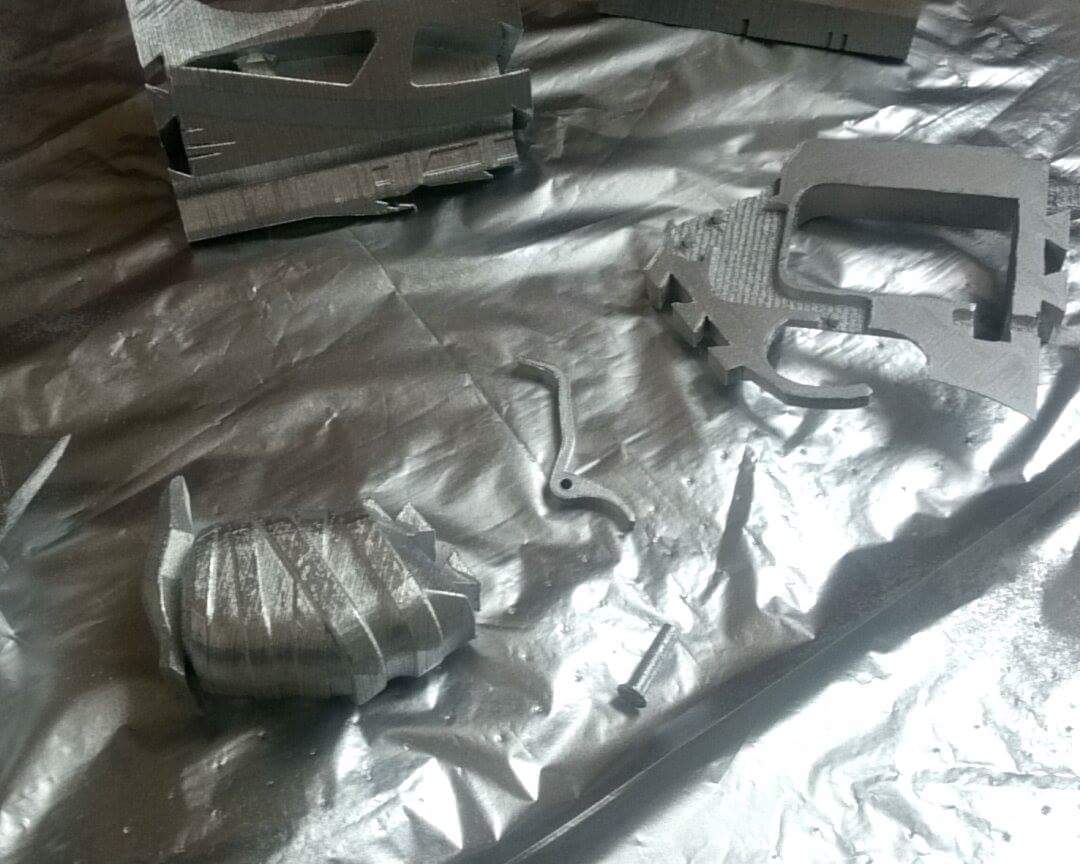
received_10153046734972687

Step two: reassemble and admire handy work.
received_10153048636462687

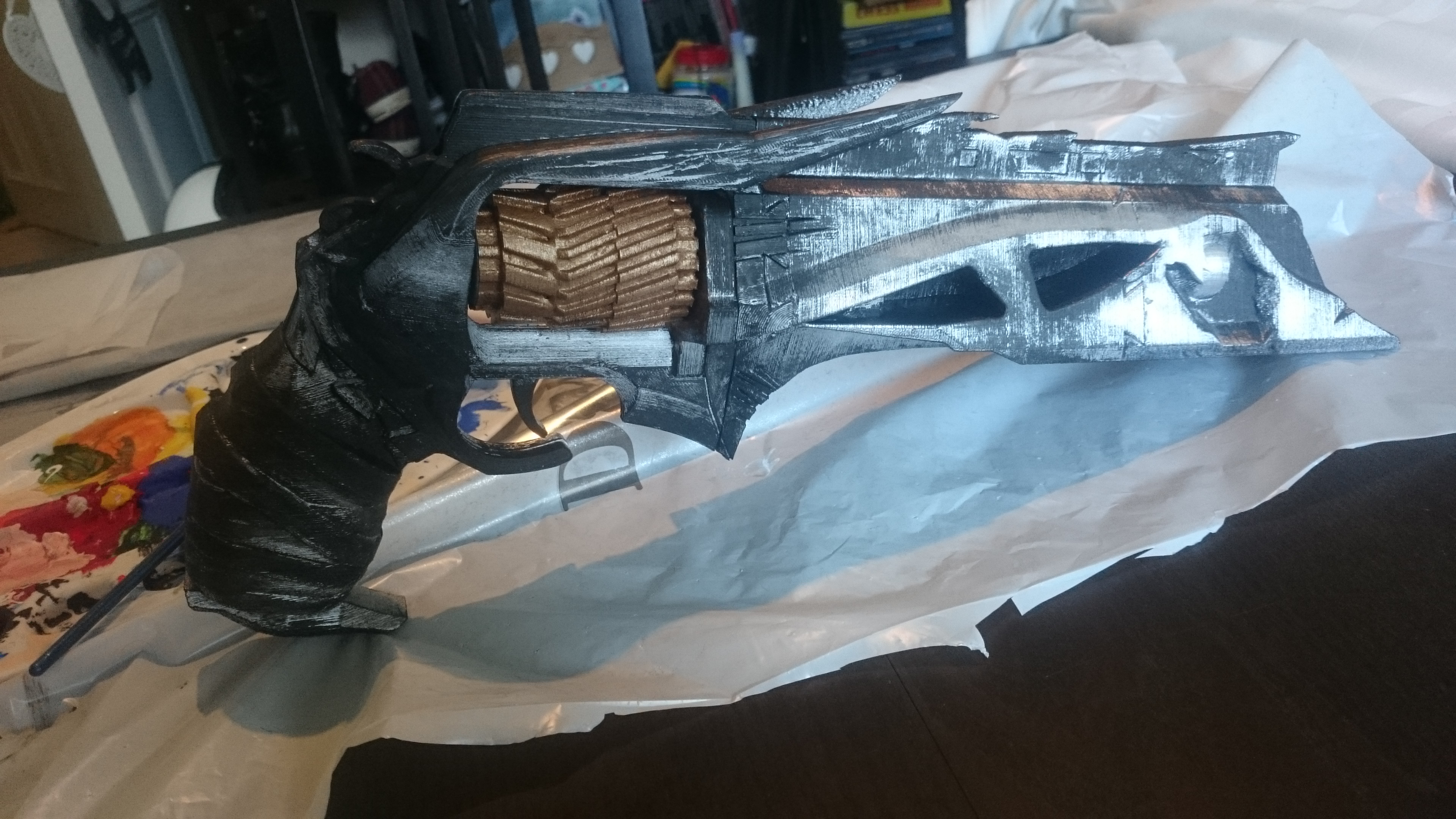
Step three: apply black paint.

received_10153049765607687

Step four: scratch black paint away (to get the rugged, worn away / grubby look the gun sports in-game).
DSC_1312

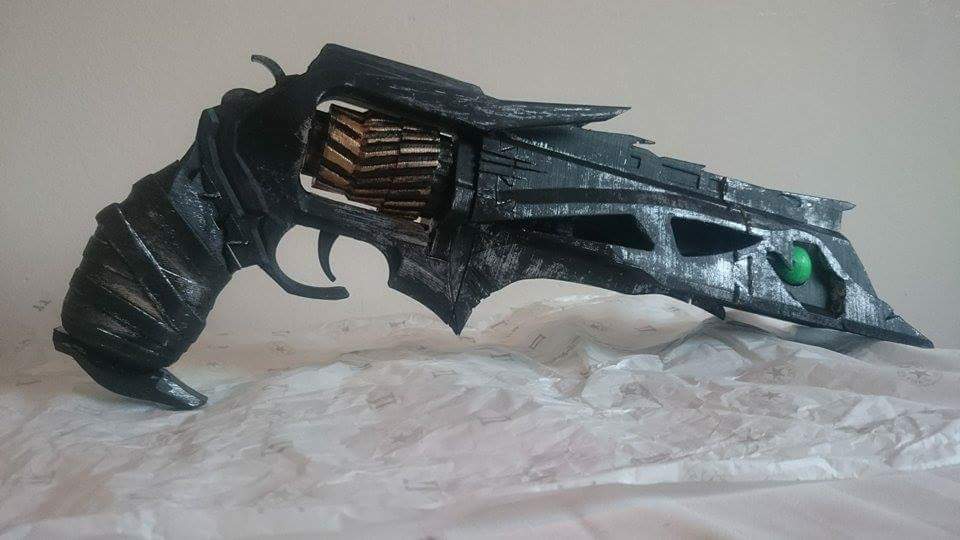
Step five: Add a dash of green to the ‘eyes’ for the poison and…

YOUR GUN IS COMPLETE!

You may now sit back and admire your handy work.

TA DA!
received_10153050224962687

Isn’t it gorgeous?

It made me very, very happy.

Thank you to Jon, Lorenzo, and Annabelle. You have made a gamer named Phil very, very happy indeed.

That My Mini Factory link above has this gun, fully printed and painted for $299. It cost me £24 and two fairly large favours [pending].

Yeah, I’d say that worked out alright.


If you have a PS4 and play Destiny, feel free to add me on PSN. ‘Whatleydude’ is the handle (of course) and you should definitely, definitely seek out the gaming clan ‘MidlifeGamer’ – a nicer bunch of gaming men and women I never did meet.

Pebble: 14mths later

Something happened recently. Something in my year-long self-experiment with wearables that I did not expect.

Discovering an invisible benefit form the long term usage of wearable tech.

Pebble choices

With all the Apple Watch news of late, it has never been easier to file all smartwatch content away under the umbrella term of ‘wearable tech’.

//platform.twitter.com/widgets.js

The man has a point.

Thing is: all Pebbles are wearables, not all wearables are Pebbles.

When I wrote up my ‘Pebble: two weeks later’ thoughts back in January of last year,  I said:

Almost like a mini personal assistant, it fields incoming alerts from my phone so I don’t have to. I choose when I pick my phone up, not the other way around; reminding me that the phone is there for MY convenience NOT everyone else’s.

And that has remained true.

“Yes but”, my friends said in unison “all you’ve done is replace one addiction for another. Instead of looking at your phone every ten minutes, you’re forever checking your watch instead!” –  they had a point.

And I didn’t ignore them.

At the turn of the year, I started experimenting with switching the Pebble to ‘phone calls only’ mode as in, ‘please only buzz and alert me to incoming phone calls, those people that need to talk to me right now‘. In the six weeks I’ve been back from SXSW, I’d say that my Pebble has been on Phone Calls Only mode around 90% of the time.

The thin layer that Pebble has placed between my phone and I has thickened and now I no longer have the fear when I haven’t checked, seen, or even been near my phone for anything longer than seven minutes.

I thank Pebble for that.

That’s not to say that I no longer enjoy the benefits that Pebble brings. I can still browse and view the ongoing notifications, I just choose to opt-in to them instead. By that I mean, I scroll to the ‘notifications’ section in the watch and click through/dismiss/reply as and when I remember. It’s a good system.

It’s funny. I guess in the same way that nicotine patches help ween smokers from their addiction, Pebble has taken the form of a mild intervention; helping me simultaneously both remember and realise that my phone is there for my convenience, and not everyone else’s.

As I type this now, my phone is to my side, face down, and on silent. My Pebble is in on Phone Calls Only™ and I haven’t looked at my phone for nearly 300 words. When was the last time you could say the same thing?

These days I find myself ignoring my email inbox for hours, sometimes days. It’s just not important enough. SMSs? I’ll reply when I can. It might be now, it might be in an hour. But it’ll be when I want to, not when my watch told me I should. That change is powerful.

Some of you might read this and think ‘Yeah, I was right all along – wearables are not for me!’ but I don’t think you can genuinely form an opinion on their benefits (short and long term) without trying them for yourself. This recent shift hasn’t changed my opinion of wearable tech – in fact it’s only served to make it more positive. I’ve backed Pebble’s next iteration of the watch (Pebble Time Steel – if you fancy Googling it) on Kickstarter and I’m really looking forward to the next layer of benefits that’ll bring to my life.

My smartwatch helped me crack my smartphone addiction and my life is better for it. Which I guess makes Pebble the equivalent of mobile phone nicotine patch, who knew?

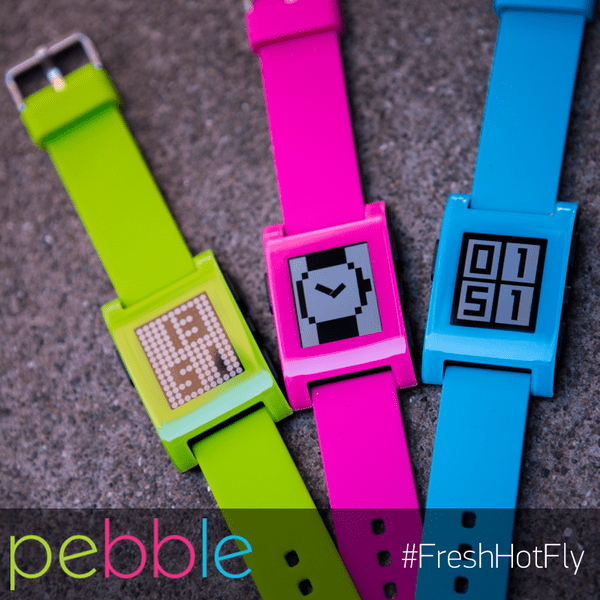
Get Pebble: #FreshHotFly

I don’t think Pebble is specifically targeting women with this new range, they’re simply for people who happen to like pink.

Woo! New Pebbles!

noopebbles

I have a Pebble watch (I think it’s GREAT, by the way). These new colours, firmly aimed at the youth market, are pretty darn awesome. Although it has to be said, the first thing I thought when I saw them was:

“You KNOW that someone at Nokia just binned their designs for some kind of 2015 Microsoft Lumia smartwatch, right? Eep!”

Because that’s what they look like!

Lumia Pebble

Joking aside, they actually really do match brilliantly with a multitude of Lumia devices which, to me at least, seems like a great idea. Lumias might not be the number one selling mobile device in the world, but the trend of fluorescent hardware is something that’s been around for at least a couple of years now and these new Pebbles are actually really quite awesome. Good job, gang.

One thing I didn’t pick up from either the website or the launch video (below) is that any part of it was ‘cutesy’ or that it was specifically targeted to women.

It’s a cool [smart]watch.

A unisex one at that.

So how do you get from that, to this?

//platform.twitter.com/widgets.js

I don’t think ‘cutesy’ equals women. Nor do I think that the new range (or the page linked) is in any way female only. So I’m confused. I DM’d Belinda earlier asking for clarification but am yet to hear back (and will of course update should I hear anything). I asked my friends to see what they think, and they seem to agree: the colours are on trend and, if they’re marketed at anyone, they’re marketed at ‘the kids’.

Just because ‘hot [pink]’ is used, it doesn’t mean its necessarily marketed to women. In fact, from about 59 seconds in the video above, the pink watch is clearly shown on a man.

I don’t think Pebble is specifically targeting women with this new range, they’re simply for people who happen to like pink.

Available now.

__

EDIT: a couple of people have asked why I didn’t engage directly on Twitter about this. Truth be told: I’m actually off Twitter at the moment and only checked in this morning for a work-based thing (this just happened to the first thing I saw).

On Chromecast

UPDATE: Chromecast is now on sale in the UK and at £30, it’s a steal.

BUY IT NOW.

– Original Review –

I bought a Chromecast.

Chromecast - Whatleydude

Image via The Verge

What’s a Chromecast?

It’s like a USB dongle but with an HDMI port on the end [instead of a USB bit] which plugs into your TV and you can broadcast stuff to it, from Chrome. Chromecast, geddit?

Anyway, I’ve been umming and ah-ing about getting one for a good while now. When they were first announced, back in July 2013, I thought it was ace but I couldn’t really put my finger on why I’d need one. A few months later, in November, when I visited the ‘Google House‘, I spotted it again. And again my interest was piqued. This time I came so very close to purchasing one, and a good friend of mine even offered to send me one from the States.

Shipping fees happened, life happened… stuff happened.

Long story short, fast forward to February and I ended up picking one up off ebay for the grand total of £32.49, and I still didn’t know why I needed one.


But I’ve already got a Smart TV!

If you read the feature list for Chromecast you can see that it supports a number of [mainly USA-based] media services. Out of those relevant to my market (the UK) you can see that it does Netflix. But I already have Netflix, on my PS4, my Xbox 360, and as an app built into my TV. Chromecast also does Youtube, but I have a YouTube app available to me in the same ways listed above. There is a third feature that’s available too, but this one’s the clincher: screen mirroring from Chrome.

With the installation of one simple Chrome extension, sharing your browser to the TV is again, one click away. Which means any video, not just YouTube or Netflix, any video can play on the big screen. Tonight, for example, I wanted to watch the amazing hour long interview with Bill Murray that had been doing the rounds. I really wanted to watch it on my TV, but it was on Hulu. For some reason, this normally-restricted-to-the-US piece of content was available to watch in my browser so I opened a new tab, casted to my TV, and carried on internetting.

Chromecast - Bill Murray

It really is a great interview, you should watch it.

Ever since getting my Chromecast I’ve used it pretty much every day. This isn’t about features and services, this is simply about ease of use/access. For the 2-screen generation, browsing the web and watching TV at the same time go hand in hand. When that awesome video appears in your stream limiting content to a small-to-tiny screen is rubbish.

If you want to watch it, nay, share it properly and it’s literally one click, and your content appears on the TV. Easy as.

Chromecast is awesome.


UPDATE: For those of you uncomfortable with importing a US version (in case of any future region locking), rumours are afoot that Chromcast will be formally launching in the UK early next month. The UK version is available NOW.

Pebble: two weeks later

Wearable tech: I’m in.

Two weeks ago, in my first of no doubt many Pebblewatch posts, I mentioned that I was still very much in ‘calibration’ mode. Meaning that I was still working out how and what it needed to alert me to the different things going on on my handset.

I’m fully aware that I am very much in calibration mode with this thing at the moment. Each person, each device, and each experience is different. Some people like a lot of alerts, some people don’t.

Slowly but surely I’m working out the hierarchy of what I need and what I don’t (SMS’s? Notify me. Instagram comments and likes? Don’t notify me). And when that process is complete, I think I’m going to enjoy owning this Pebble device very, very much.

That phase is now over (in fairness it was over in less than a week) and I can happily report that my prediction was correct: I am enjoying this Pebble and am fully appreciating the passive content consumption device that the Pebble really is. Almost like a mini personal assistant, it fields incoming alerts from my phone so I don’t have to. I choose when I pick my phone up, not the other way around; Reminding me that the phone is there for MY convenience NOT everyone else’s.

What else is good?

Battery life. This is two fold.

1) The watch battery is pretty impressive. The first week was Thursday through Monday with a whole ton of ‘look at me, look at my cool watch’ usage. Week two lasted a little longer and, given that I’m used to charging most of my devices once every 24hrs (moreso in some instances), having a charge-life last more than three times that is somewhat of a useful novelty.

2) Here’s the biggie: if there’s one thing that mobile geeks want, nay, that ALL MODERN CONSUMERS want, it’s more battery life. When I initially thought about getting a smartwatch, all I could think about was that precious battery life that having a permanent / all day bluetooth connection would suck up. I couldn’t have been more wrong. Because I use my phone less, the battery lasts longer. Bluetooth use included. I could go into more detail, but Iain’s post on the subject covers it quite well (scroll down to ‘Power’).

I’ve already mentioned that Pebble plays nice with my audio apps (Spotify and DoggCatcher) and my fitness app (RunKeeper), so that’s ace and, if I’m honest, I’ve not really got around to tinkering too much with either v2 of the firmware or myriad apps that are available. There’s a weird dichotomy about the whole thing: having a new piece of technology often means there’s more that I can do, but that seems to be the complete opposite of what this device was made for.

I spend less time looking at my phone today, than I ever have before. And to my mind, that can only be a good thing.

Thank you, Pebble, for freeing me from the shackles of my device. You rock.

_____________

FAQs:

1. Why do I need another notification device?
You don’t. Pebble isn’t that. When I wear my Pebble, I actually switch the ringer and vibrate off on the handset. In fact, between Pebble and MightyText for Chrome, the phone hardly ever leaves my pocket.

2. Will I like the design/plastic feel/strap?
The strap can be changed, and Pebble Steel is looking great.

3. Do I need a Pebble?
I don’t know about you. All I can say is: Pebble has changed the way I interact with my device for the better. I treat messages as urgently as I want to, and I decide when and how I communicate. This slight shift in behaviour is solely down to wearing Pebble. If you think you use your phone too much, then get Pebble.

Any other questions? Leave them in the comments and I’ll reply as best I can.

_____________

In the UK? Pebble is £139.99 and available from Amazon.
US readers prices vary.

On Gmail? Here’s how to prevent ‘anyone on Google+’ from being able to email you

Have you heard the news? Google just launched a new Gmail ‘feature’ that basically allows anyone to email you if they know your Google+ handle.

OH NO

Given that your Google+ handle nearly pretty much has to be your full name, the potential for abuse here is not insignificant.

Fortunately (for you) there’s a handy way to get around this and you can thank Mr Will Oremus for the tip off. Ready?

And that’s that. Why oh why Google think this is a good idea, I don’t know. Alas, there it is. Question for you, dear reader, will you be adjusting your settings? Or will you be leaving ‘as is’? Which way and why. Leave a comment and let me know. I’m intrigued.

______

Update: Further clarification from a Google employee makes light of this. I guess the difference between having your contact details on your website and Google making you email-able by anyone on Google+ is that Google didn’t make the decision in the first instance, you did.


Pebble: 48hrs in

I have a memory from when I was a child, of being in the supermarket with my mum and – it was when I was learning to tell the time – my mum asked me what the time was. I was wearing my brand new watch (probably He-Man-related in some way) and I was eating sweets. Smarties, to be precise.

Screen Shot 2014-01-04 at 16.44.37

‘What time is it, James?’, she asked.

I excitedly threw my wrist over and announced to all and sundry, ‘HALF PAST THREE!’, the sound that followed was like hailstones as, with near-perfect comedy timing, my Smarties tumbled out of their tube, all over the shop floor.

Now I have a Pebble watch and, instead of my mum asking me to look at my watch, the pebble itself asks me. Its little vibrations subtly nudging you that there’s something new to see. Over the past two days this has happened frequently whilst drinking coffee.

Every time I go to look, I stop.

Every time I stop, I remember the Smarties.

And every time I remember the Smarties, I think ‘One day, Whatley. One day it’ll get you’.

IMAG0195

More to come, soon.


Related: Pebble: first thoughts

Pebble: first thoughts

Ooo, look!

Screen Shot 2014-01-02 at 19.51.54

Recently, in the last episode of The Voicemail of 2013 (Episode 079) Stefan and I were asked the following question:

‘Given that 2014 will be the year of the smartwatch, what would we be looking for in a next generation smartwatch when selecting one?’

At the time, Stefan had a Samsung Galaxy Gear and I… did not. I hadn’t tried a smartwatch before, and so couldn’t really comment (Stefan could though, and I’ve appended his words, with my own additions, to the end of this post). Those kind people at Pebble heard about this, and sent one out for me to try.

It arrived this morning, and I set it up over my lunch. Here it is –

pebble2

Yes, I went for white.

Now look, I’m brand new to this whole wearable tech thing so I’m quite intrigued about what kind of affect it’ll have on my existing behaviours. In the same way the iPad changed [and actually increased] my reading habits, I wonder what the world of smartwatches, nay, Pebble watches will do to the way I interact with my tech.

Moreover, I know I’m not unique in the Pebble-owning world (I know several people that both own and love theirs), but I am intending on writing up how I get on with it over the coming days, weeks, and months.

Onwards.

Out of the box, the Pebble is fairly simple to set up. You download an app onto your device (I sport 2013’s phone of the year, the HTC One) and then connect to the Pebble over Bluetooth. A minor firmware update later (and of course a spot of charging) and you’re ready to go.

Initial impressions (in no real order)

  • Firmware update didn’t work first time, had to unpair and reboot. Second time it worked like a charm and I hope all future updates are as painless.
  • The Pebble app is fairly limited, and the immediate urge is to download a new one. I’m trying Pebble Notifier [FREE]  but others recommend apps such as Augmented Smartwatch Pro [NOT FREE]. Until I know what I need from my Pebble, I won’t be making the leap quite yet.
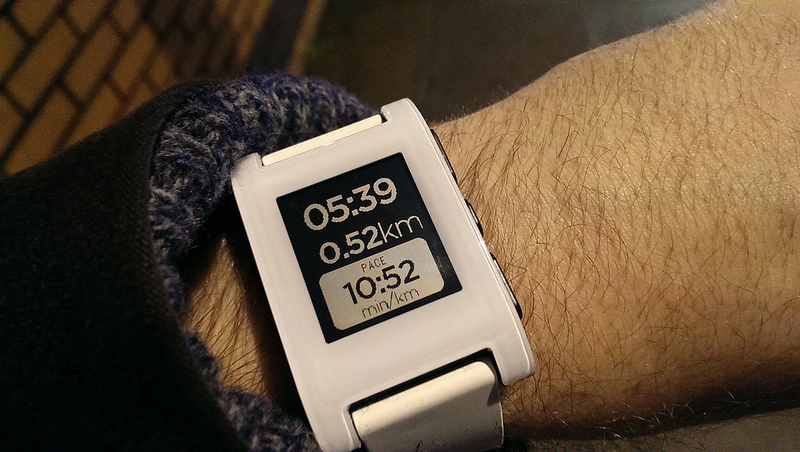
  • It works with RunKeeper – YES! No new app installs, it just works. My RunKeeper app on Android shows a teeny little watch icon when it’s working too. Super cool.

pebble3

  • It works with Spotify – YES! Skipping a track is easy and, while track display is also available, I’ve found this to be a bit patchy and doesn’t always have anything to display. But when it does, it’s cool!

pebble4

  • It doesn’t work with my work email account. I’m desperately trying to find a work around but no joy, yet. More experimentation required. To be fair to Pebble, my employer’s email is run on Google Apps and they have IMAP disabled as standard. Bit of a ball ache, but I’m sure I’ll find a way through it at some point. Weirdly, Hangout alerts (and messages) come through just fine, so maybe a tinker with the settings somewhere will help.
  • The Pebble community is HUGE. I joined the Google+ group today (don’t laugh) and I turned out to be their 4000th member. I’m very excited about this.
  • Everyone is talking about ‘Firmware v2’ and the Pebble ‘App Store’ being ‘just around the corner’. Apparently these are good things and I should be looking forward to them. Fingers crossed for that then.
  • In the seven hours that I’ve been using it, the Pebble has already reduced the amount of times I’ve had to pick up my phone. This can only be a good thing.

And that’s it. I’m fully aware that I am very much in calibration mode with this thing at the moment. Each person, each device, and each experience is different. Some people like a lot of alerts, some people don’t.

Slowly but surely I’m working out the hierarchy of what I need and what I don’t (SMS’s? Notify me. Instagram comments and likes? Don’t notify me). And when that process is complete, I think I’m going to enjoy owning this Pebble device very, very much.

More to come, soon.

_______________

Stefan said:

  1. It needs to look good.
    Check! I got the white one, it looks great!
  2. It needs to work with your current device.
    Check! No problems so far.
  3. It has to perform well in terms of battery life.
    Apparently one charge should last seven days, so let’s see.